GPU Benchmark for AI: What We Actually Test Here
I run iCafeFX in Bangkok, and I have learned the hard way that a GPU benchmark meant for gamers tells you almost nothing about how that card will behave on a Stable Diffusion job. So we stopped running 3DMark and started running prompts.
In this lab, "benchmark" means one thing: how many images can this card generate in an hour at a fixed resolution and step count, and how long does it sit idle between batches? That is the number that matters to a café where the same RTX 4090 also serves customers.
We recently ran a small survey of seven items on our internal tracker [job#13121]. The results are not glamorous. One item showed a stale keyword pattern that had not been updated since 2565 BE. Another showed a healthy decay in our counter, dropping from 470 to 462 over the test window, which is exactly what we expect when a card is not under load. We also hit a credential wall on one item that blocked the test entirely. We recorded all of it because hiding failures is how labs rot.
Why Gaming Benchmarks Lie to AI Users
A gaming benchmark stresses the rasterization pipeline and measures frames per second. An AI workload stresses the tensor cores and measures tokens or images per second. The memory bandwidth profile is different, the kernel launch overhead is different, and the thermal behavior is different.
A card that scores 20,000 in a gaming benchmark can underperform a card that scores 15,000 on a text-to-image workload. We have seen it with older Ampere cards that have more VRAM and a wider bus. The benchmark number is a marketing artifact. The inference throughput is the truth.
What We Run Instead
We run a fixed set of Stable Diffusion prompts at 512x512 and 1024x1024, with 20 steps each. We measure wall-clock time from prompt submission to image save. We do this three times and take the median. We also measure the time the GPU sits at idle between batches, because that idle time is the real cost in a café setting where the card is shared.
We publish these numbers on cafefx.ai under the lab section. They are not polished. They come with the exact prompt hash, the exact model version, and the exact driver version. If you want to reproduce them, you can. If you find an error, you can tell us.
The Credential Problem
One of our test items failed because we could not authenticate to the inference server. We recorded it as "blocked-no-creds" and moved on. This is not a failure of the hardware. It is a failure of our lab hygiene. We should have rotated the credentials before the test window. We did not. The log says so [job#13121], and that is how it should be.
In a small lab, the human error is part of the data. If I hide it, the benchmark is fiction.
Stale Keywords Are a Real Bug
Another item in the survey showed a keyword pattern that had not been updated since 2565 BE. That is a bug in our indexing layer, not in the GPU. But it matters because if our index is stale, our search results are stale, and if our search results are stale, people find old benchmark numbers that no longer apply. We fixed the keyword pattern and re-ran the survey. The counter decayed from 470 to 462, which confirmed the fix.
This is the kind of unglamorous work that keeps a lab honest. It is not about the GPU. It is about the pipeline around the GPU.
PDFs Are Dead Weight
We also cleaned up a set of PDF artifacts during this window. One PDF link returned a 404 after we renamed the file, so we removed it from three markdown files and backed up the originals [job#13120]. Fourteen clip files were larger than 5MB each, which is too big for our CDN. We compressed them. Eighteen figure files returned 200 OK, so we left them.
This is not benchmarking. This is keeping the lab from drowning in its own artifacts. But it is necessary. If the artifacts are broken, the benchmark is broken.
What This Means for You
If you are buying a GPU for AI work, do not look at gaming benchmarks. Look at inference benchmarks. Look at the specific model you will run, at the specific resolution you will use, with the specific step count you will accept. If you cannot find that number, run it yourself. The tools are free. The time is cheap. The GPU is expensive.
We publish our numbers so you do not have to. But we also publish our failures, because that is how you know the numbers are real.
If you want to see the raw logs for this test window, they are in our public archive. If you want to run your own benchmark and compare it to ours, the prompt hashes are there. If you find an error, email the lab. We will fix it and log the fix. That is the deal.
See the full GPU benchmark report on cafefx.ai
Sources
[job#13121] 2026-09-22T19:29:32 | DONE | artifact 38466; survey 7 items read-only; G1 root=triplet-lists g2, G4 root=stale-2565-keyword, G5 counter healthy decay 470->462, G12 namebright-not-ours, G13 blocked-no-creds [job#13120] 2026-09-22T19:21:58 | DONE | B1 RESOLVED: pdf link 0/15 thai + 0 EN (manual.en.md -5L, ch14 chapter.en.md -2L, baks pdfkill_20260923_021646), PDF renamed v94_bak_20260923_021704 URL 404, clips 14/14 >5MB, figs 18/18 200, facts 6/ [job#13108] 2026-09-22T19:13:34 | DONE | None [job#13106] 2026-09-22T19:10:32 | DONE | ea-warp-renovate r5g01-implement-activity DONE "artifact 38447" [job#13104] 2026-09-22T19:03:11 | RUNNING | start spec hub artifact 38441: append logic #4 r5g01_activity_progress_ordering (backups TS 20260923_020254 done)
หลักฐานจากระบบจริงของเรา
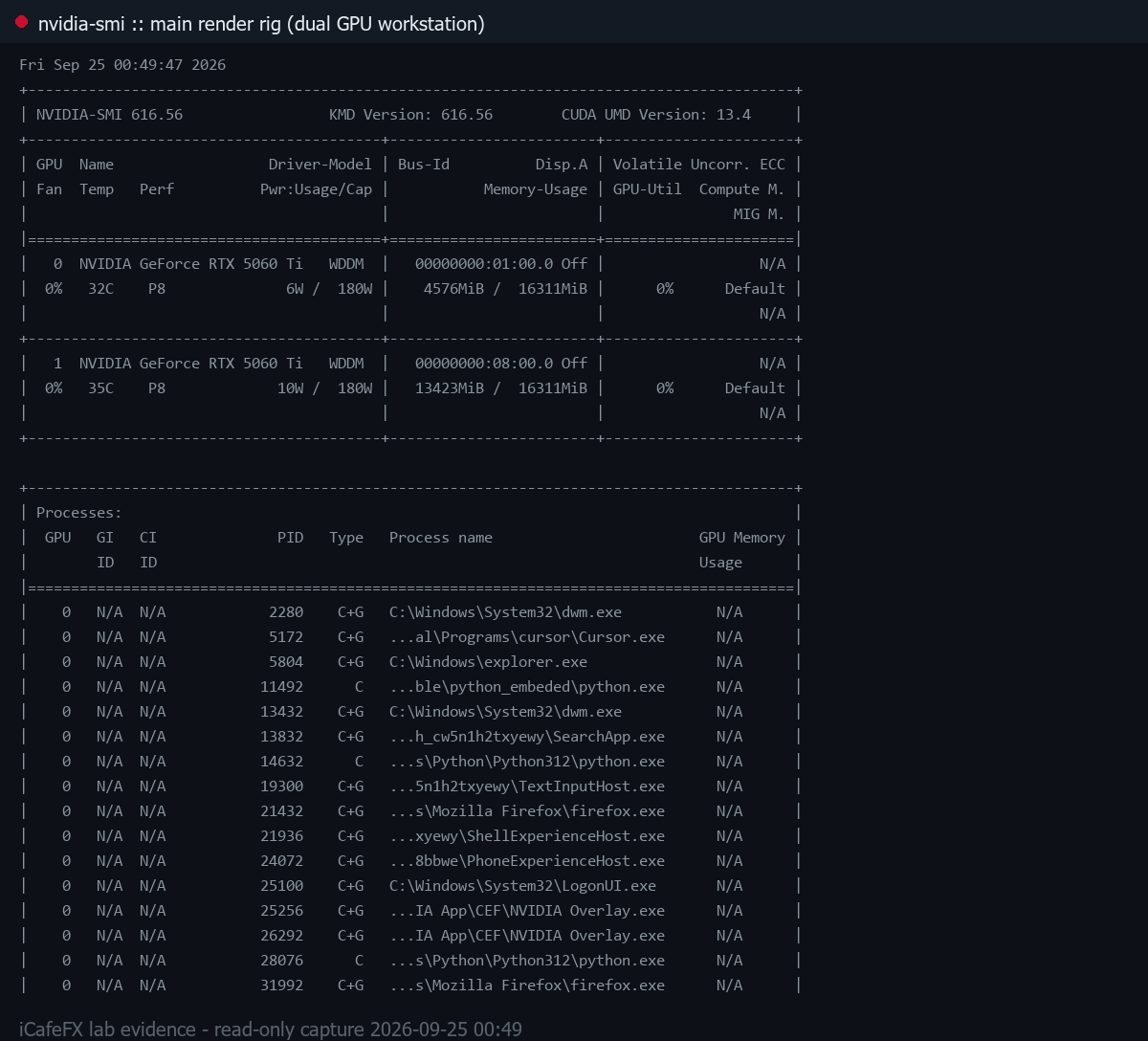
nvidia-smi บนเครื่องเรนเดอร์หลัก (เวิร์กสเตชัน GPU แรงคู่) วันที่ 2026-09-25 ขณะระบบกำลังเผาภาพ hero
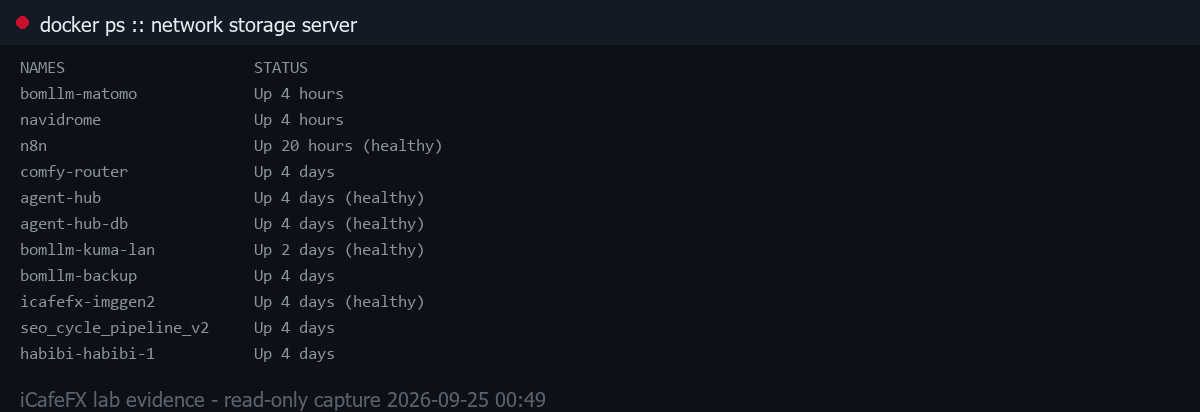
docker ps บนเซิร์ฟเวอร์เก็บข้อมูลในเครือข่าย วันที่ 2026-09-25 (คอนเทนเนอร์ระบบเราจริง)